
PackOS Labels
Discounted labels for any store. Margin on every one.
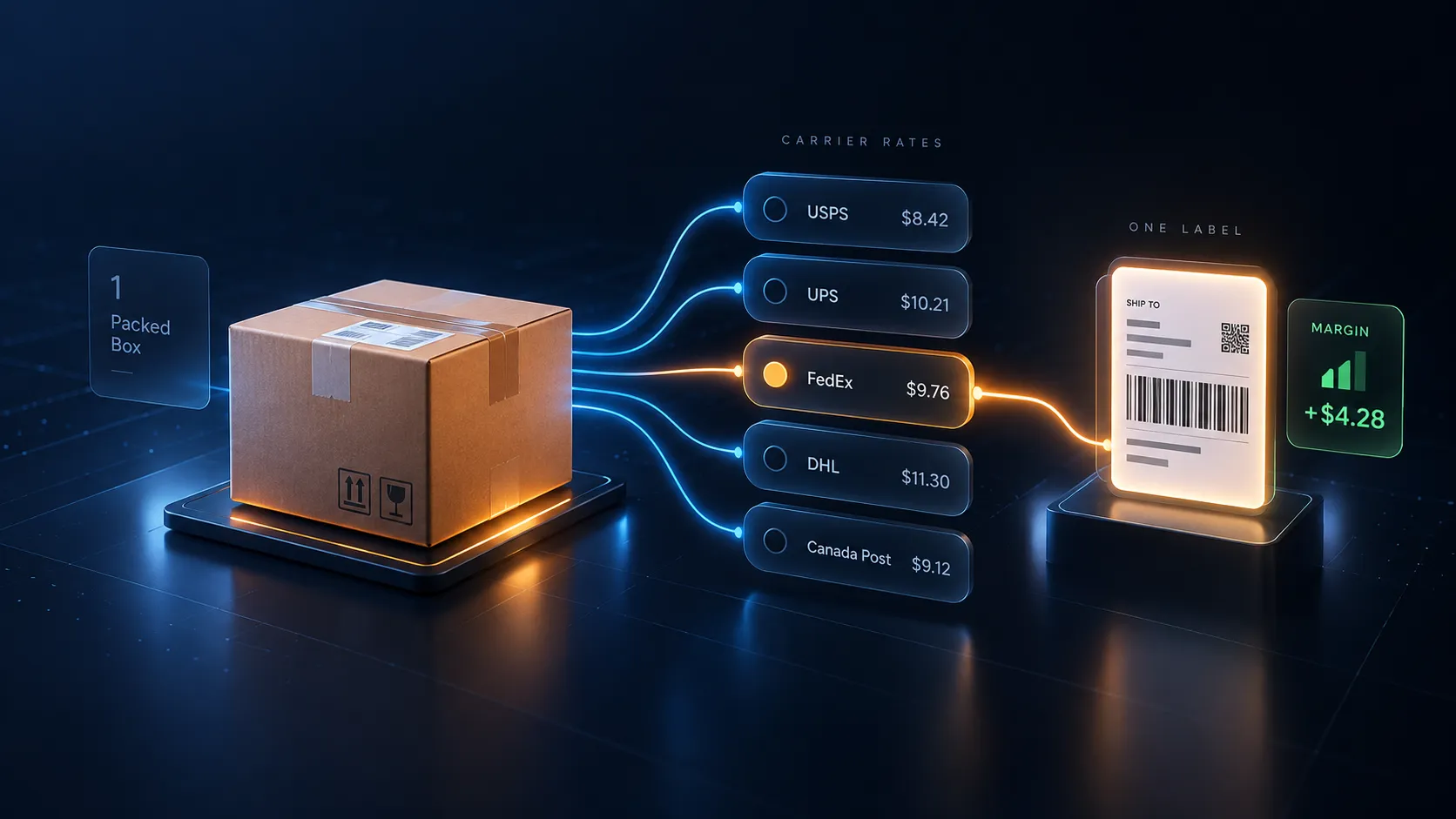
No Shopify required. No carrier contract. Connect a store, upload a CSV, or just type an address — then rate shop USPS, UPS, and FedEx, buy in batches, and see exactly what each shipment made or lost. Free account; you pay for labels.
DHL Express, DHL eCommerce and Canada Post are on the rate list too, an unused label can be voided for a carrier-confirmed refund, and the software itself costs nothing: no subscription and no markup on postage.
No subscription · fund your wallet only when you are ready to buy a label
- Carriers
- USPS · UPS · FedEx · DHL · Canada Post
- Works with
- Any store, any platform, or no store at all
- Price
- Free, always
The honest pitch
A modern label platform built around your margin
Most label tools treat shipping as a line item. PackOS Labels treats it as a P&L column. Every label is stored with the carrier, the service, the price you paid, and — when the order came in with a checkout rate attached — the margin against what your customer paid. Nothing is marked up on the way through: you pay the carrier price the screen showed you. Wallet credit is spendable on PackOS labels.
Real-time margin analytics
Every label that came in with a checkout rate is tagged with what the customer paid for shipping and what the label cost. Your shipping margin, per label — calculated automatically.
What's included
Everything you need to ship
Rate shop, buy, print, void, and analyze — all in one place.
| Discounted carrier ratesRate shop discounted USPS, UPS, FedEx, DHL Express, DHL eCommerce and Canada Post services without signing a carrier contract. Every rate is shown before you buy, so you always see the exact price. |
|---|
| Multi-carrier rate shoppingCompare rates from every connected carrier side-by-side for every shipment. Filter by cheapest, fastest, or best value. Buy the label in one click. |
| Batch label printingSelect your orders, pick rates, and print them all in one batch. 4x6 thermal, letter-size, or packing slips bundled. Prints on any thermal or desktop label printer. |
| Void and refund any labelBought the wrong label? One-click void within the carrier window. Refunds land back in your PackOS wallet automatically — no support ticket, no phone call. |
Built like a platform
Free does not mean thin
PackOS Labels is free, always — and it is still the account structure a growing shipping operation needs, not a single-user label printer.
| Teams, with rolesInvite the people who actually pack and the people who actually pay. Owner, Admin, Operations Manager, Warehouse and Viewer roles decide who can buy a label and who can see the money. |
|---|
| More than one warehouseSave every ship-from address you dispatch out of and pick the right one per shipment, instead of editing one address all day. |
| SSO for the whole accountPoint PackOS Labels at your identity provider and let people in with the login they already have. |
| Two-factor authenticationTurn on an authenticator app for any account. Buying labels moves money, so it is protected like it. |
How it ships
From order to label in four steps
No complex setup. Create the free account and you can buy a label as soon as your wallet has a balance.
- 01
Connect your store or upload orders
Shopify, WooCommerce, or CSV import — orders land in PackOS Labels automatically. Connect your store in a couple of clicks — no developer needed.
- 02
Rate shop across every carrier
PackOS queries USPS, UPS, FedEx, DHL, and Canada Post simultaneously and returns live rates. Sort, filter, or let PackOS auto-select the cheapest qualifying service.
- 03
Buy labels — one at a time or in batches
Single-click for one label. Multi-select for batch. Labels download instantly, attach to your order, and sync back to your store with tracking numbers.
- 04
Track, void, analyze
Every shipment tracked in one place. Void and refund in one click. Every label that arrived with a checkout rate carries its own margin figure, so you can see what shipping did to that order at any time.
Who we built it for
We built PackOS Labels for the shippers every Shopify-only tool ignores
You do not need a Shopify store, a carrier contract, or a developer. If any of these describe you, the free account is the whole evaluation.
- Etsy, eBay, Amazon and Faire sellers who ship their own orders
- Retailers running a mail-order line beside the shop floor
- Small 3PLs shipping for more than one client
- WooCommerce, BigCommerce and Squarespace merchants
- Shopify merchants who want more than Shopify Shipping gives them
- Anyone shipping without a store at all — one address, one box, one label
Better together
Buy the label at the rate your checkout quoted
PackOS Checkout gives your checkout accurate live carrier rates — calculated from real bin-packing across your box library. The rate your customer sees at checkout is the label you buy in Labels. No margin leak between quote and label.
One order · Two numbers · One difference
Quoted at checkout
What the customer paid you to ship it
PackOS Checkout
Paid for the label
What the carrier charged you to move it
PackOS Labels
Margin
The difference, recorded on every order
Both products, on the same record
Run either product on its own. Run both and the same order carries both numbers.
Common questions about Labels
Do I need a Shopify store to use PackOS Labels?
What does PackOS Labels cost?
How do the rates compare to going direct with a carrier?
Can I void a label I bought by mistake?
What is shipping margin and why do you track it?
How do I pay for labels?
Buy your first label today
Create the account, fund the wallet, print the label. There is no subscription to cancel afterwards.
- Free, always
- No markup on postage